Replay in practice
How a product consultant uses Replay for client meetings
Maya is a fictional independent product consultant. She uses Replay for Mac to record client calls without a bot, check what was agreed, and send a recap.
Record the kickoff without a meeting bot
Maya is helping a small software company redesign its onboarding. By Friday, she owes the team a brief that says who gets into the pilot, who owns the next step, and what’s still open.
After checking the client’s policy and getting the participants’ consent, Maya records Monday’s Google Meet kickoff. Replay saves the selected window on her Mac with separate tracks for the call audio and her microphone. Replay also supports the Zoom and Microsoft Teams Mac apps.
- Keep Google Meet in its own browser window and mute unrelated browser audio.
- Select the call window and microphone in Replay. Play back a short test to check the shared screen and both sides of the conversation.
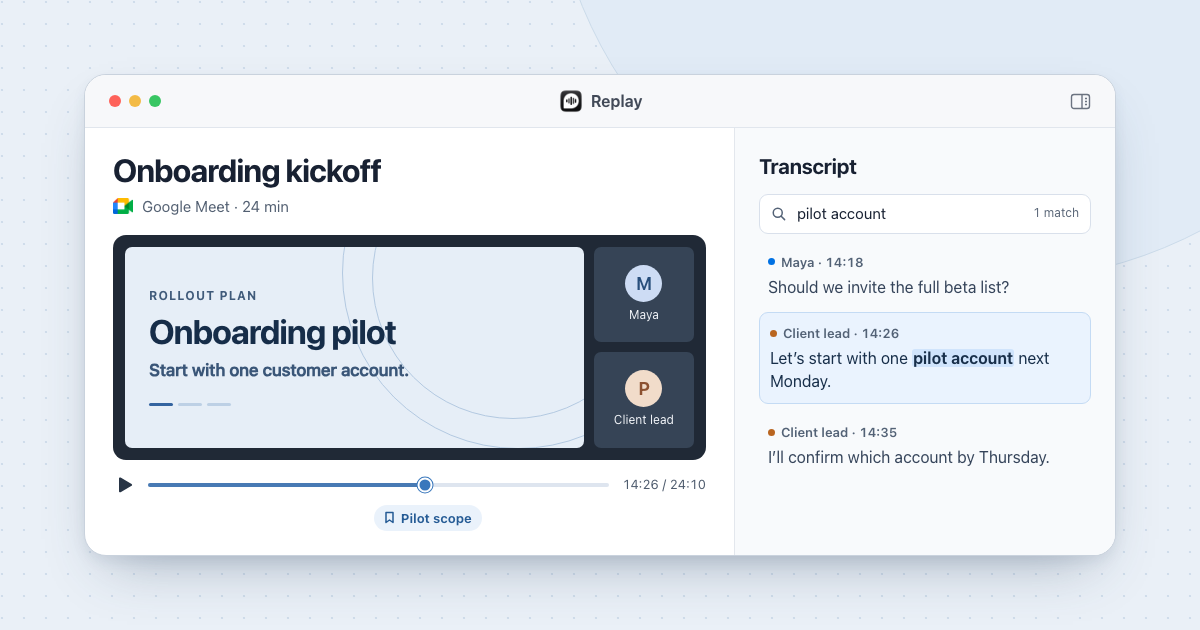
- Add a timestamped marker when the team agrees on the pilot. Maya labels hers “Pilot scope” so she can find it even before there’s a transcript.
Check the recap against the recording
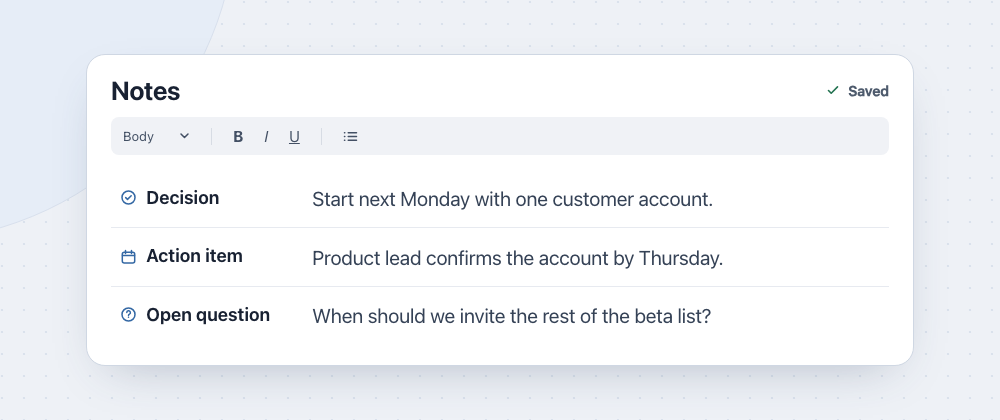
Replay transcribes the saved meeting on Maya’s Mac. With Apple Intelligence enabled, Replay can draft decisions and action items in the empty notes editor.
Maya jumps to her marker at 14:26 and listens to the exchange. She edits the notes in Replay and copies three lines into the client’s project doc.
- The pilot starts next Monday with one customer account.
- The client’s product lead will confirm which account by Thursday.
- When to invite the rest of the beta list is still open.
Find a decision across past calls
At Thursday’s Zoom review, the client asks whether the full beta list is in the pilot. Maya searches for “pilot account” across recording titles, notes, and transcripts. She opens the matching timestamp in the kickoff and replays what the client said with the rollout slide on screen.
Maya keeps one Replay folder per engagement. When she remembers only the date, she uses Replay’s recording calendar. Show in Finder opens the files under ~/Movies/Replay Recordings/, including the video and, after transcription, the Markdown transcript.
Ask an AI assistant for timestamps if needed
When she has permission to share meeting content with a cloud assistant, Maya can connect Claude Desktop to Replay’s local, read-only Model Context Protocol (MCP) server.
She can ask, “Which calls mention the pilot account? Give me the recording title and timestamp for each decision so I can check it.”
A cloud assistant can receive the transcript passages and notes it reads. Maya uses Replay’s built-in search when the material needs to stay on her Mac.
Set up Replay on your Mac
Replay runs on Apple silicon Macs with macOS 26 or later. One purchase activates two Macs without a subscription.
Allow Screen & System Audio Recording, Microphone, and Speech Recognition in macOS. Activate Replay and download the speech model for your language while online.
Replay can record and transcribe offline after setup. Live online calls still need a connection. If Apple Intelligence is unavailable, write notes by hand and use the video, markers, and transcript to check your recap.